
-
 All CategoriesTop
The complete list of links to all active categories on eboore.
All CategoriesTop
The complete list of links to all active categories on eboore.
-
 EbooksBrowse
All fiction and non-fiction ebooks available on eboore.
EbooksBrowse
All fiction and non-fiction ebooks available on eboore.
-
 AudiobooksListen now
All fiction and non-fiction audiobooks on eboore.
AudiobooksListen now
All fiction and non-fiction audiobooks on eboore.
-
 BestsellersHot
The best-seller list of ebooks and audiobooks on eboore
BestsellersHot
The best-seller list of ebooks and audiobooks on eboore
-
 NewestNew!
Latest releases in ebooks and audiobooks on eboore
NewestNew!
Latest releases in ebooks and audiobooks on eboore
-
 Brands
Full list of all brands on eboore. Browse all brands
Brands
Full list of all brands on eboore. Browse all brands
-
 Downloadables
Templates, designs, art, icon packs, and downloadable elements...
Downloadables
Templates, designs, art, icon packs, and downloadable elements...










How To Publish On Eboore.com

Publishing on eboore is simple...
Although, when you are new to something, it's always better with a little help.
Watch this step-by-step video, or follow the screenshot guide below to publish your book.
If you prefer to follow along with these screenshots, here is your complete guide on how to publish on Eboore.com
Step 1: Create your seller account.
Click here to create your account...
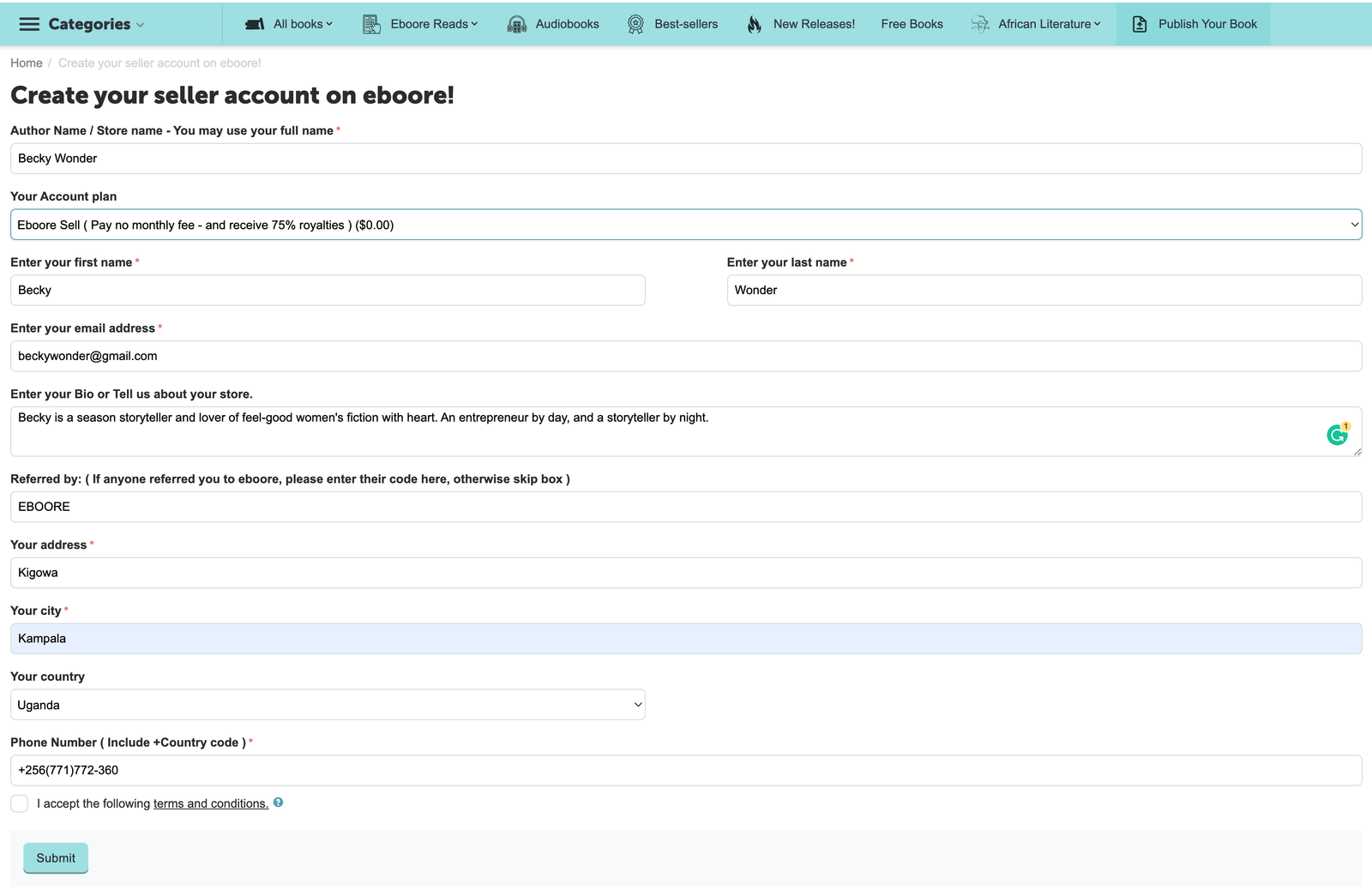
Note: Fill in all the details to have a complete setup store on the website.
Once you click submit, your username and password will be forwarded to your registered email address
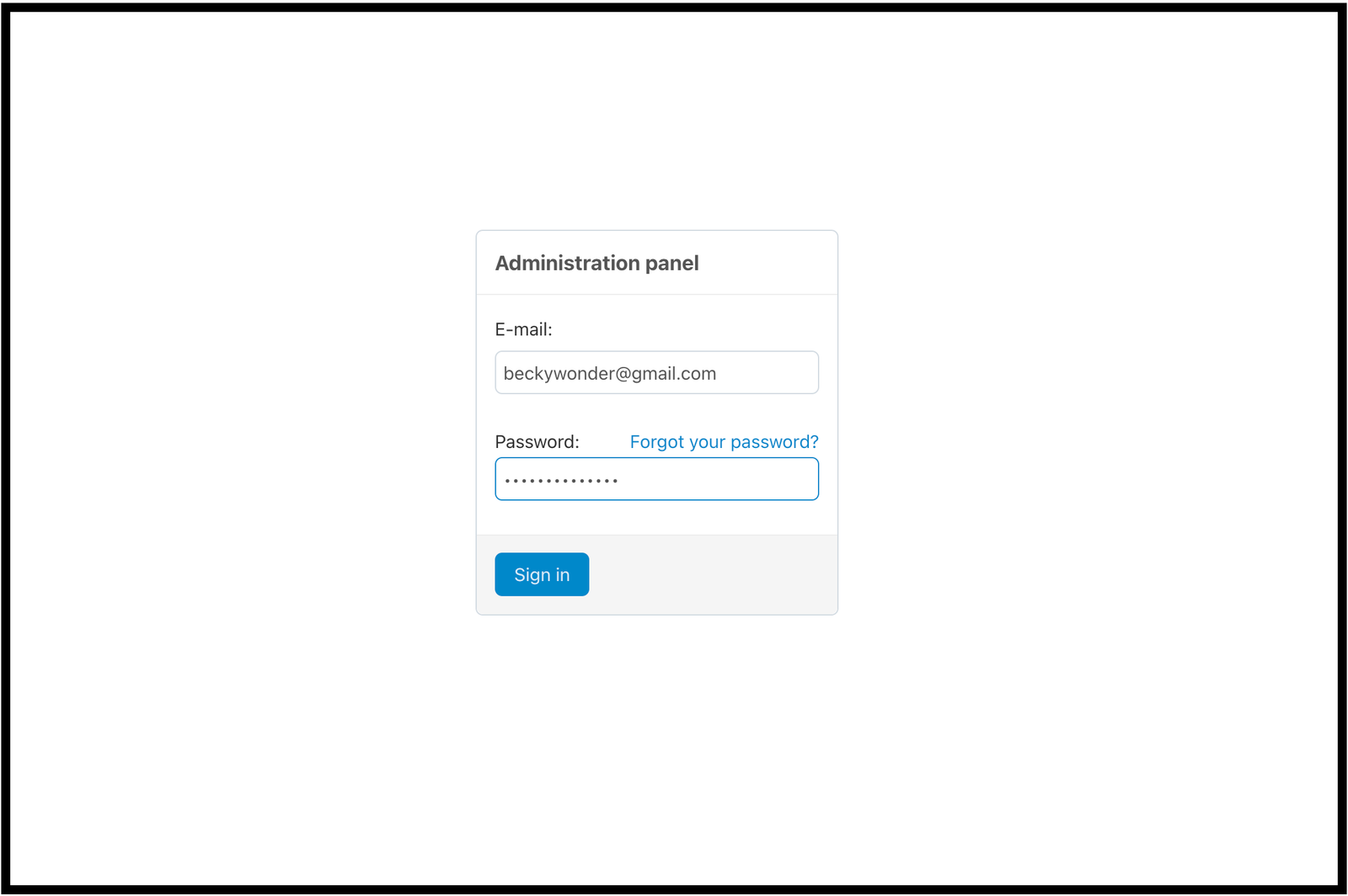
Step 2: Go to the email address you entered to find your login credentials

Click on the link...
You will be redirected to your admin panel login page...
then enter your email and password.
Step 3: How to Add A New Book / Product
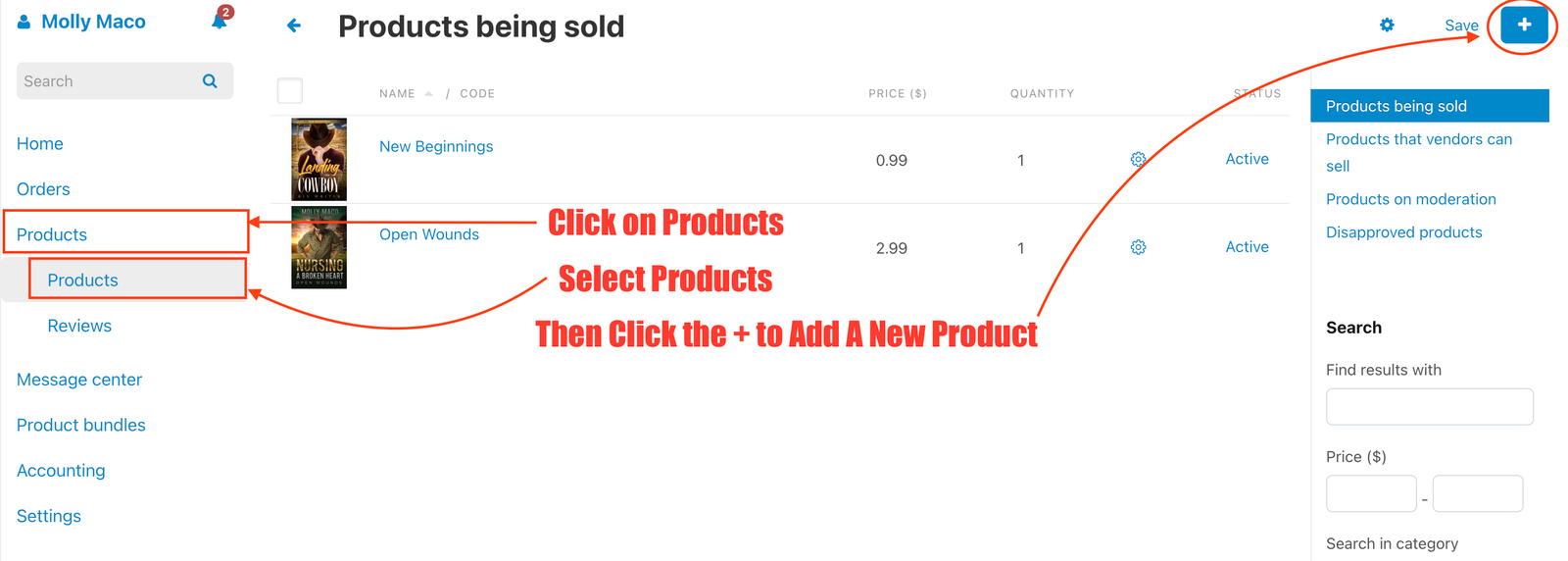
Once you are logged in, follow the steps in this image...
Click on Products > Select Products > Then Click the + Plus sign in the top right corner
On the drop-down - Select Create new product
Step 4: Enter your book details correctly and then click create...
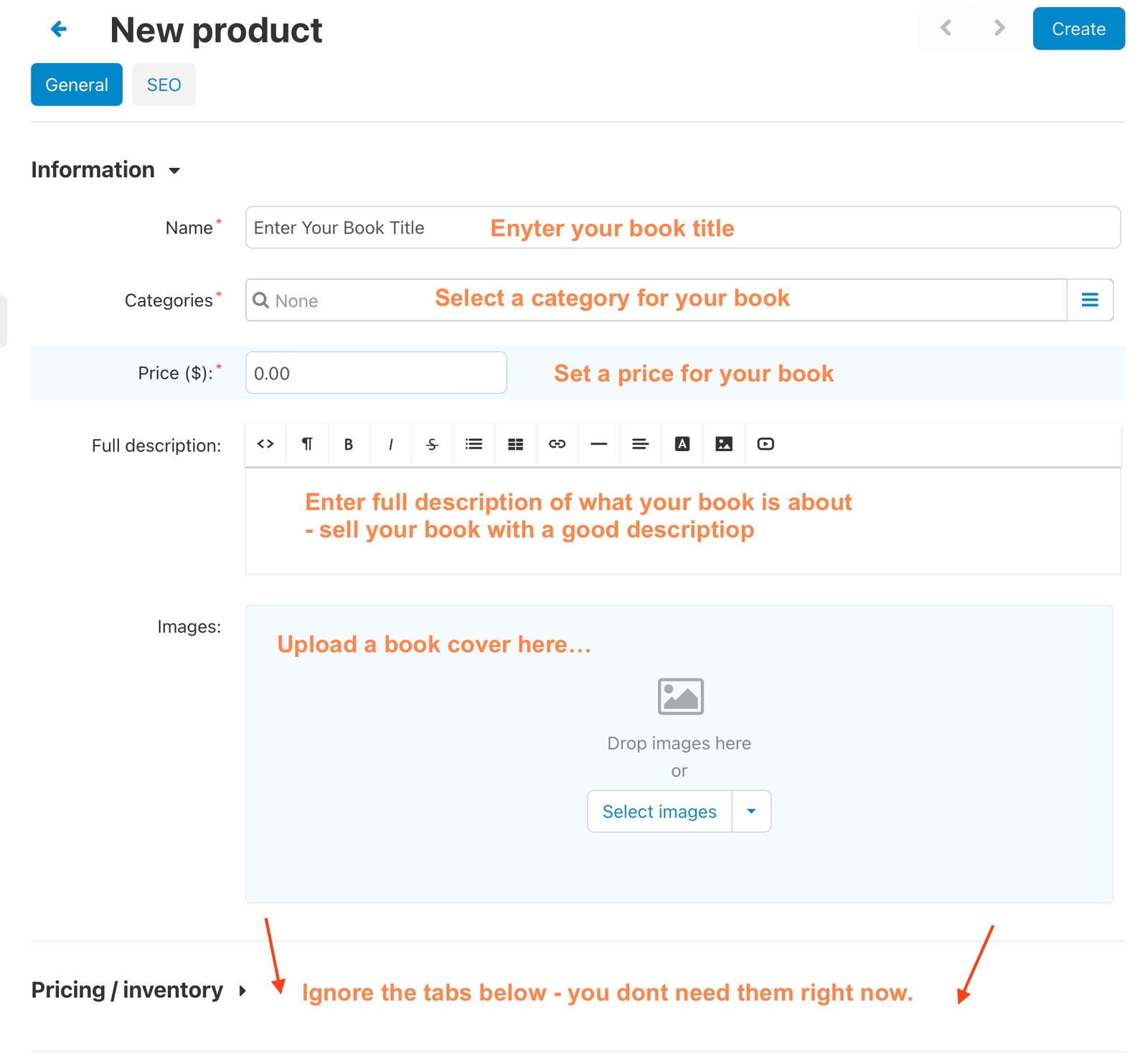
Once you click create, a new section will be unlocked - its a table called files to sell
Click on it to add your book file and then click add file.

Step 5: Enter Your Book Title
( Make sure your file name is saved with the same name as the book title )
Then select your book file...
IMPORTANT RECOMMENDATIONS AND HELP.
We recommend that for the best user experience you upload an EPUB file for ebooks and upload the M4B file for audiobooks - Why is this important?
Epub files allow the reader to change the fonts and even the font size in the reading app while files like pdf don't let the user adjust according to their reading needs.
Mp3 files work still work but M4B files allow users to add bookmarks so they can easily go back to specific points in the audiobook. - That's why we strongly recommend that do it for the users.
So, here is the help you need...
For Ebooks - Go here to Convert from DOCX (WORD) to EPUB
For Ebooks - Convert from PDF to EPUB
For Audiobooks - Convert from MP3 to M4B
Now that you have added your book file...
Add a sample preview file to let readers try your first chapter or 2 for free.
Books with a sample preview file tend to sell more than those that don't.
This can just be 2 chapters of your book.
Finally: Click Create and your book will begin to upload.

Once your upload is complete, your book is good to go and the marketplace team will review it for final approval to begin showing on the marketplace.
Congratulations - you are now published on Eboore.com.
Eboore Publishing 11/29/2022, 03.25 PM
Hello Kennedy,
You don't have to pay for publishing on eboore.
If you decide to increase your share of royalties - especially if you are selling more books, you can subscribe to eboore+ a plan that gives you more percentage of royalties on each sale.
When you publish your book on eboore ( which is free ) and someone buys your book, you receive 75% of royalties on each sale.
You can receive your royalties through Paypal, stripe, or mobile money.
I hope this helps you, Kenneth.
kennedy Eko-Eriofoloh 11/29/2022, 03.14 PM
First, do I have to pay for this publishing at any time?
Again, how do I earn from this publishing?
- Pineville, 5111 Grace View Drive
- +1(803)414-1300 (WhatsApp)
- Mon-Sun 9.00 - 18.00
- care@eboore.com
- View on map
© 2021 - 2026 Eboore.com. - Tell your story.